See your GPS tracking device on GMM!
GMM now supports KML files, so basically you can now see your tracks with satellite view.
1. Download Google Mobile Maps to your PDA/Blackberry/SmartPhone from http://www.google.com/mobile/
2. Launch Google Mobile Maps from your device
3. Go to the menu and select “search”.
4. Find your user number, this is located on the top right side of your mapping page.
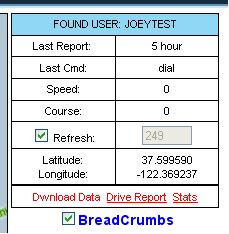
5. Now enter the URL below but chage “acctname” to your real user name while leaving the NL (ex. /joeytestNL.kml)
http://trackingtheworld.dyndns.org/images/acctnameNL.kml
6. Hit enter and thats it!
One Response to New Feature. See your tracks with GMM (Google Mobile Maps)


What are “credits” in the polling data? When I went into change the sequence it goes down. am I allowed to change this rarely?